 SubAtlas
 Buy USDT · buy USDT on OKX · Updated 2026-08-17
Buy USDT on OKX, then transfer on the exact receiving network.
This route is for users who are legally allowed to use both platforms. P2P availability, fiat methods, withdrawal networks and fees depend on country and account, so the live screens must be checked at every step.
Complete verification, buy only through the platform flow, copy the receiving USDT address and network first, then make a small test withdrawal on the identical network.
Verify the account
Complete required identity checks and confirm P2P is available in your country.
Buy USDT
Choose a verified offer and pay only through the order instructions using your own account.
Copy the deposit route
At the receiving platform, choose USDT and copy address, network and memo if shown.
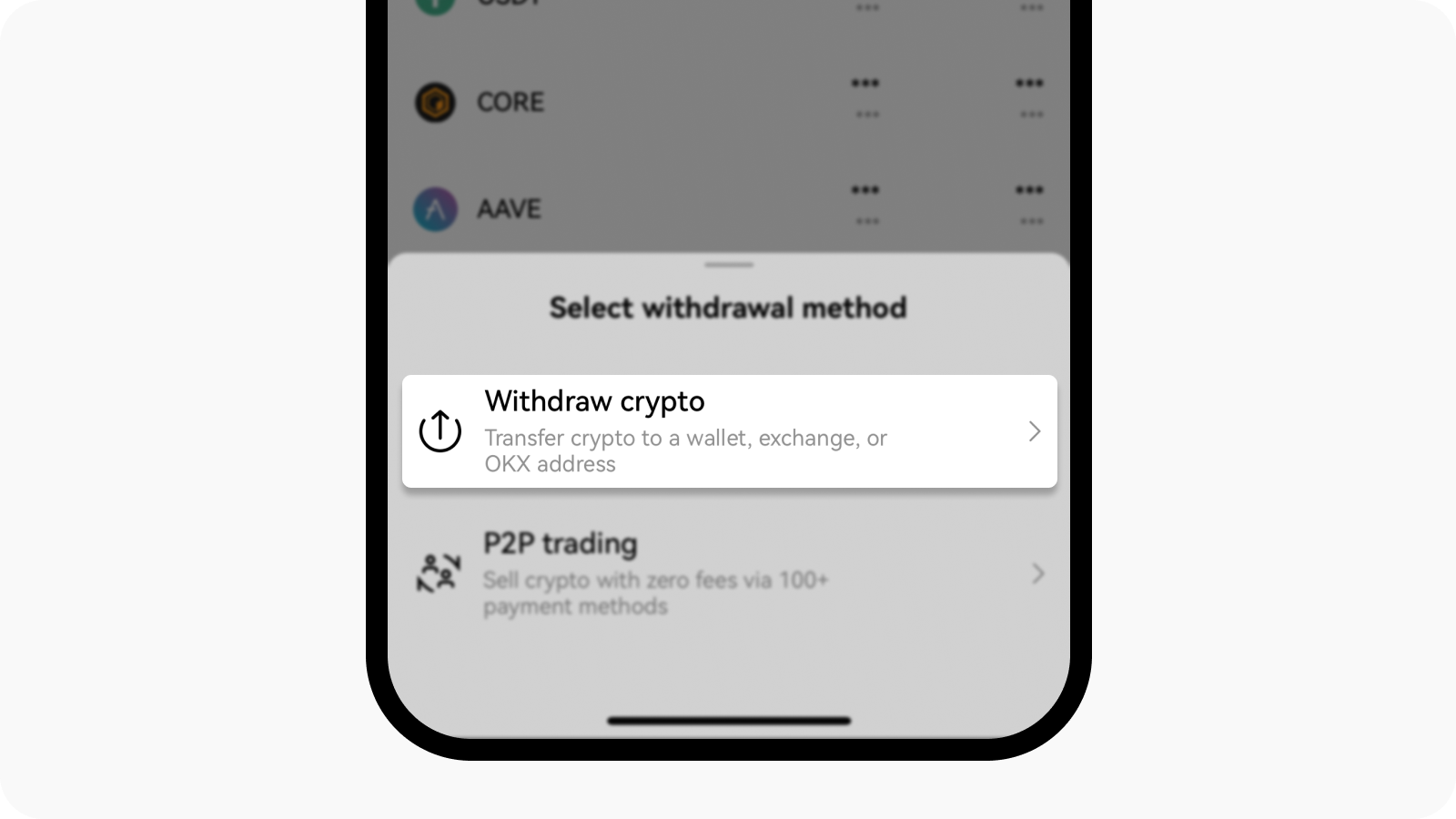
Withdraw on the same network
Paste the address, select the identical network and send a small test first.
Real screenshots
Follow the receiving side before the sending side.
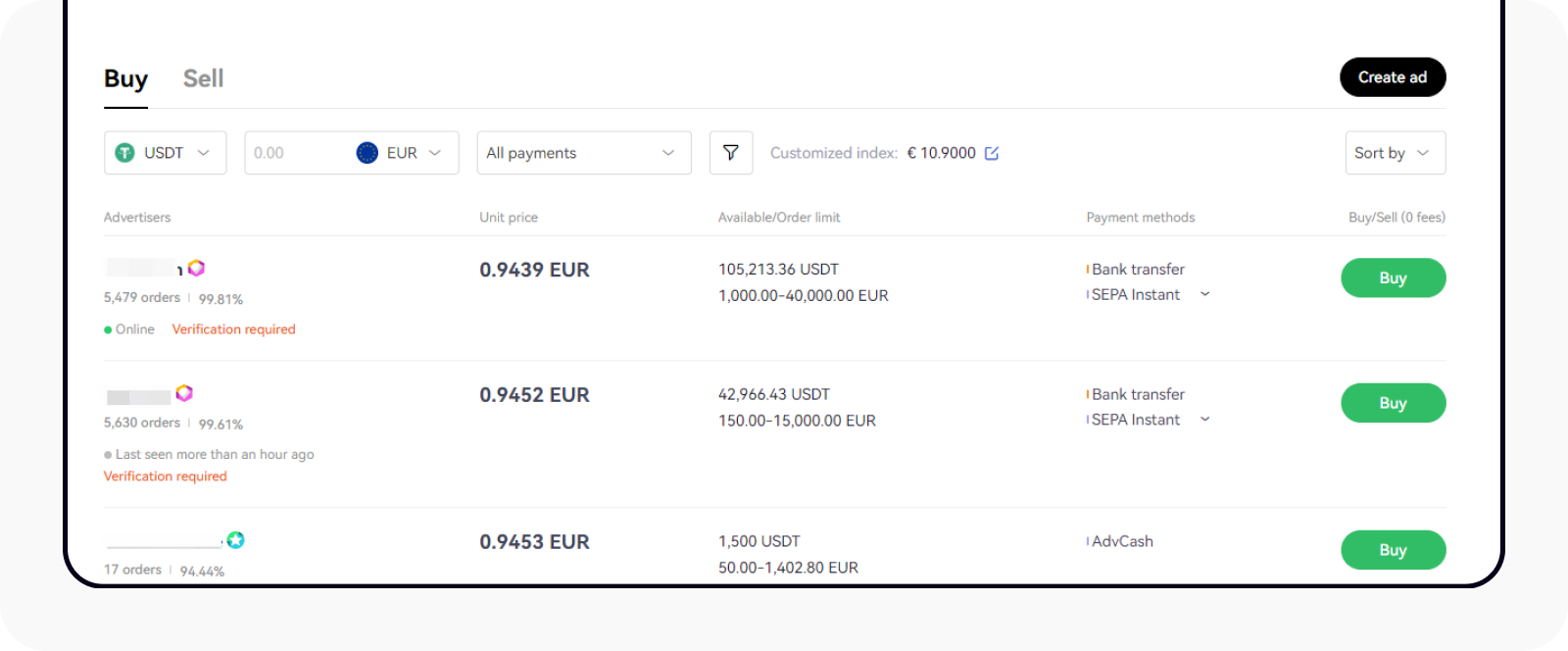
P2P assets are released through the order, not through a private chat.
After required verification, filter for USDT and a payment method available to you. Check order limits, completion record and stated terms before opening an order.
Pay from an account in your own name and mark the order paid only after the transfer is complete. Keep all communication and dispute evidence inside the platform workflow.
- Do not trade outside the platform order
- Do not accept third-party payment instructions
- Do not release or confirm before the action is complete
- Use platform support for a dispute
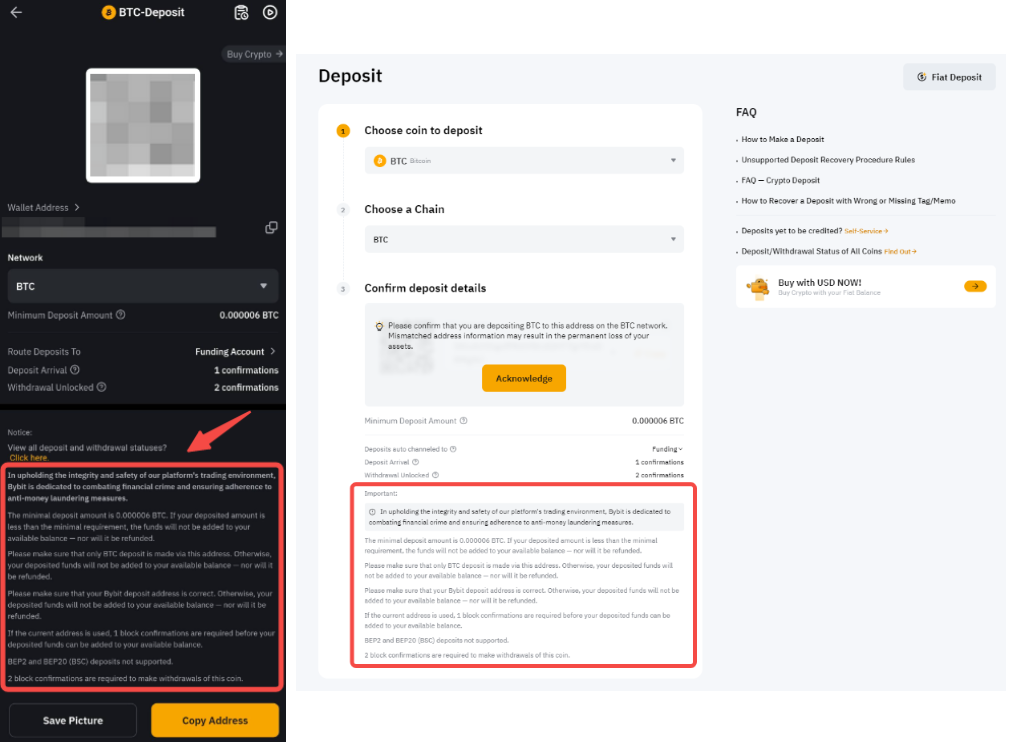
The receiving page decides which network the sending page must use.
On Bybit or another destination, open Deposit, choose USDT and select a currently supported network. Copy the address and any memo or tag exactly.
Network names that look similar can still be incompatible. Address format alone is not enough; both platforms must explicitly list the same network for USDT at the time of transfer.
Aptos and Avalanche can be economical only when both ends support them.
Compare the sending fee, minimum withdrawal, destination minimum deposit, maintenance status and expected confirmation time. There is no permanently cheapest chain.
If OKX and the destination both show USDT-Aptos, it can be considered. The same applies to Avalanche C-Chain. If either side omits the network, choose another shared option.
- Compare fees on the live withdrawal screen
- Check minimum deposit and withdrawal
- Avoid a network under maintenance
- Test before sending the main amount
Confirm on-chain completion and credited balance before using the card.
A completed withdrawal can still require confirmations before the destination credits the Funding Account. Use the transaction ID to follow the transfer.
If the test does not arrive, do not repeat it. Recheck the network and address, then contact the platform that controls the pending stage.
- Save the transaction ID
- Wait for required confirmations
- Check Funding Account rather than only Trading Account
- Repeat the full network check next time
Frequently asked questions
The common failure points, answered first.
01Do I need identity verification to use OKX P2P?
OKX's official guide describes identity verification requirements. Availability and required checks depend on your account and country.
02Which network is cheapest for USDT?
There is no fixed answer. Compare only networks currently supported by both platforms, including fees, minimums and maintenance status.
03Can I send the full amount immediately?
A small test is safer, especially for a new destination address or network. Confirm it is credited before sending the remainder.
Official sources
Rules change; open them again before applying or paying.
Open official OKX registration
Eligibility, price, fees and rewards are controlled by the official page on the day you act.